Getting started with EHX
EHX on ehxlabs.xyz helps you explore infrastructure templates, generate files for your repos, and use an in-browser assistant—without leaving the product site.
This site (docs.ehxlabs.xyz) is the user documentation hub. Use the search bar in the header (or ⌘K / Ctrl+K) to find guides; toggle light/dark with the theme control. For checkout, auth, and quota issues, see Troubleshooting & FAQ. For short articles inside the product, see Knowledge base.
What you need
| Requirement | Notes |
|---|---|
| Account | Free sign-in is required for Chat, Generate, and Checkout on production. Marketing pages stay public. |
| Browser | Modern Chromium, Firefox, or Safari. Use the same sign-in on each device (Google/GitHub or email + password). |
| Wallet (checkout only) | Pay USDT or USDC on Ethereum, Base, or Arbitrum One — deposit address and optional transaction hash on checkout. Card billing is not available yet. |
Quick paths
| Goal | Start here |
|---|---|
| Orient by persona | Get started |
| Sign in or create account | Account login |
| Compare plans & promos | Pricing |
| Pay with crypto | Checkout |
| See usage & tier | Plan & usage |
| Infrastructure assistant | Chat |
| Render & download files | Generate |
| Browse catalogs | Library (Templates & Modules tabs) |
How the site is organized
Public (no sign-in)
- Home, pricing, documentation links, library/KB browse
- This docs site, legal pages (Privacy, Cookies), and status
Signed-in product
- Chat, generate, checkout, account dashboard, plan & usage, invoices, activity
Service lines (marketing)
- Launch, Monitor, NodeOps, Secure — narrative previews; depth varies by milestone
Recommended first session
- Open Get started and pick the persona closest to you. Role buttons and all four persona cards are server-rendered; if the page flashes then shows “Something went wrong”, hard-refresh (fixed in ehx-web
269aa5d— checklistuseSyncExternalStoresnapshot). - Sign in (return URL brings you back to chat or generate).
- Try Chat with a concrete goal (e.g. “Kubernetes monitoring for a small cluster” or “Ethereum archive RPC on AWS”). Optionally pick a Project in the chat header to group exports.
- Open Generate from chat suggestions or pick a template in the Library.
- When ready for paid features, read Plans & checkout then use Pricing → Checkout.
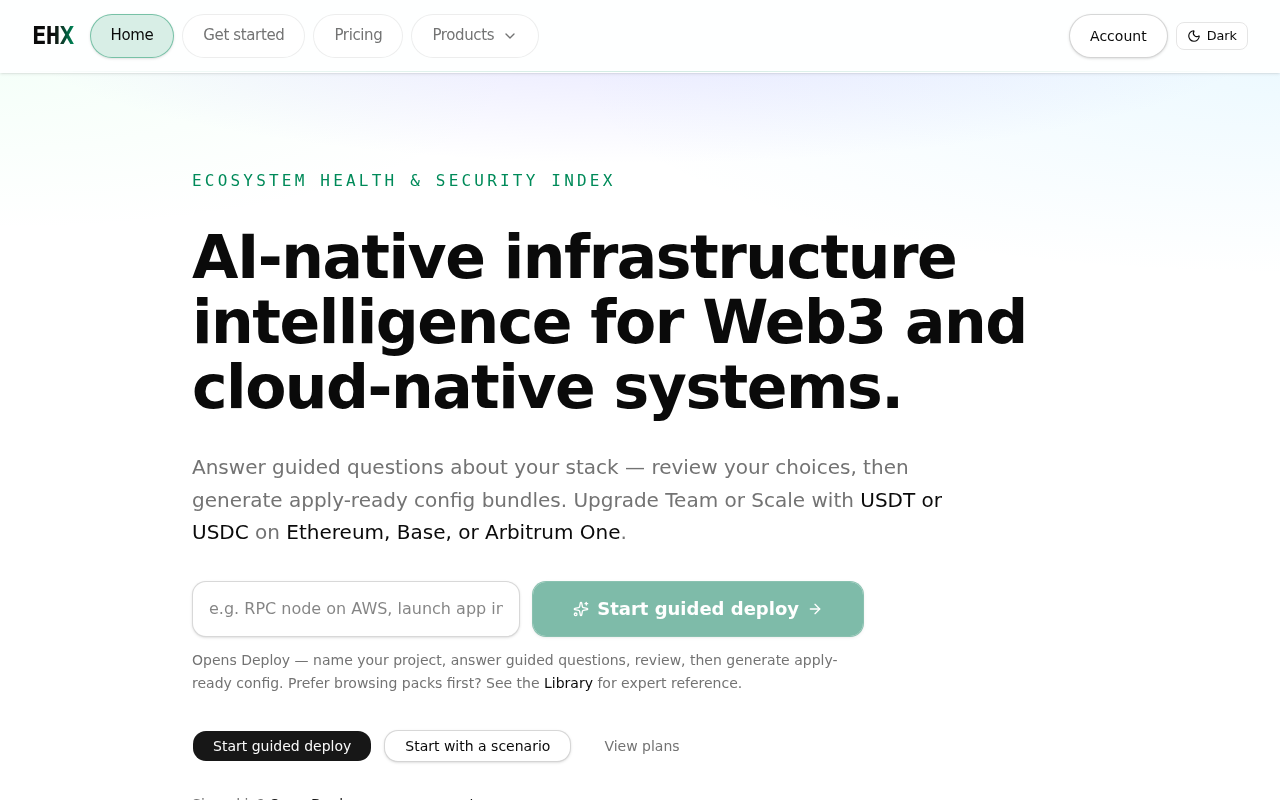
From the home page — Start guided deploy opens the chat assistant; Start with a scenario links to persona paths.
More guides
- Account, sign-in & security
- Plans, usage & checkout
- Chat & generate
- Monitor quickstart
- Templates & modules
- QA checklists (GitHub)
Help & status
- Knowledge base — health checks, catalog tips, deployment practices
- Status — API health indicator
- Pricing FAQ — plan boundaries, networks, promos (scroll to FAQ on page)